
Sales
Run a time-limited discount across your catalogue, specific products, or a tag.
A sale discounts products automatically for everyone, with no code to enter. Use it for holidays, launches and events.
Dashboard → Marketing → Sales. Needs sale_read.
The Sales page lists every sale, past and present, with its name, status, discount, end date and last update. Click Create to create one.
Creating a sale
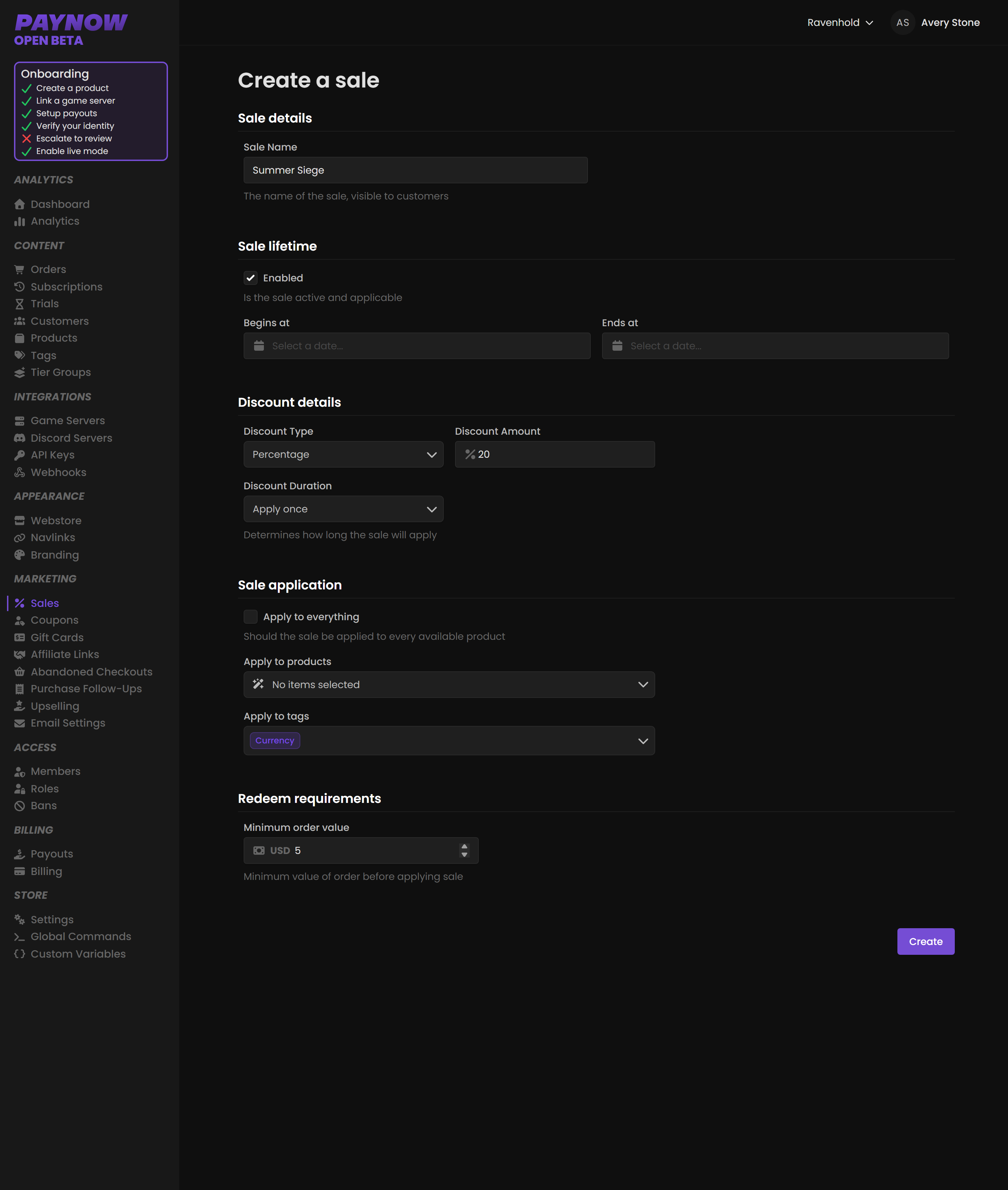
Five sections, three of them optional.
Sale Details is the sale's name. It is visible to customers on the checkout page, so make it readable: Summer Siege or Black Friday, not test2-final.
Sale Lifetime takes optional start and end dates. Set an end date. A sale with no end is a price cut, and it trains your community to expect the discounted price permanently.
Discount Details is Percentage or Fixed, then the amount, then a Discount Duration: Apply once, Forever, or Multiple subscription renewals (which asks for a number of renewals).
Sale Application optionally limits the sale to specific products or tags. Leave it empty to apply the sale to everything. Applying by tag is usually easier: tag your seasonal items once and every future sale can target that tag.
Redeem Requirements optionally requires a minimum order value before the discount applies, $5 for example. A minimum raises average order value: a customer at $4.20 will often add something to cross it.
Once created, the sale's page lists every order it was applied to. That is how you judge whether it worked.
Sales versus coupons
| Sale | Coupon | |
|---|---|---|
| Who gets it | Everyone | Whoever has the code |
| Requires a code | No | Yes |
| Good for | Site-wide events, holidays | Giveaways, targeted offers, win-backs |
| Visible on the storefront | Yes | No |
They can interact. Check your promo code stacking setting in Settings, and note that coupons have an Apply before sales option that changes the calculation order.
Making a sale work
Check Popular Times of Day in Analytics and launch just before your peak, not at whatever hour suits you. Announce it at launch and again before it ends; the closing reminder often outperforms the opening one. Watch average order value alongside revenue on the Dashboard, because a sale that lifts orders while cutting AOV may have lost you money. Judge it over the full week; a spike then a trough is normal.
Discounting a subscription is not the same as discounting a one-off. How far a sale reaches into a subscription depends on the Discount Duration you pick: Apply once discounts the signup only, while Forever and Multiple subscription renewals carry on into renewals. Choose it deliberately.